Software · Web app for iPhone · in progress
Your shelf, in your pocket.
Library catalogues books and board games, finds them again on the shelf and shares them with friends. Scan the barcode, done. No account, no server, nothing in transit.
At a glance
- What
- A catalogue app for books and board games, built by Dirk Gerber (Gerber.Media).
- Runs on
- iPhone via “Add to Home Screen”, and any modern browser. Data stays in the browser’s IndexedDB.
- Captures
- ISBN barcode scan fills in title, author, publisher, pages and cover from OpenLibrary, Google Books and BoardGameGeek.
- Shares
- As a standalone web page with search, or as a catalogue file for friends who use the app too.
- Status
- In progress. Built for the family first, not yet publicly available.
01 · Capture
Point the camera at the barcode. The book walks onto the shelf.
The scanner reads the ISBN and fetches title, author, publisher, page count and cover. In series mode the camera stays on and every title it finds goes straight onto the shelf, so a full bookcase takes minutes, not a weekend. If nothing turns up, the form opens with the number already filled in.
Data sources: OpenLibrary, Google Books, BoardGameGeek.
02 · Find
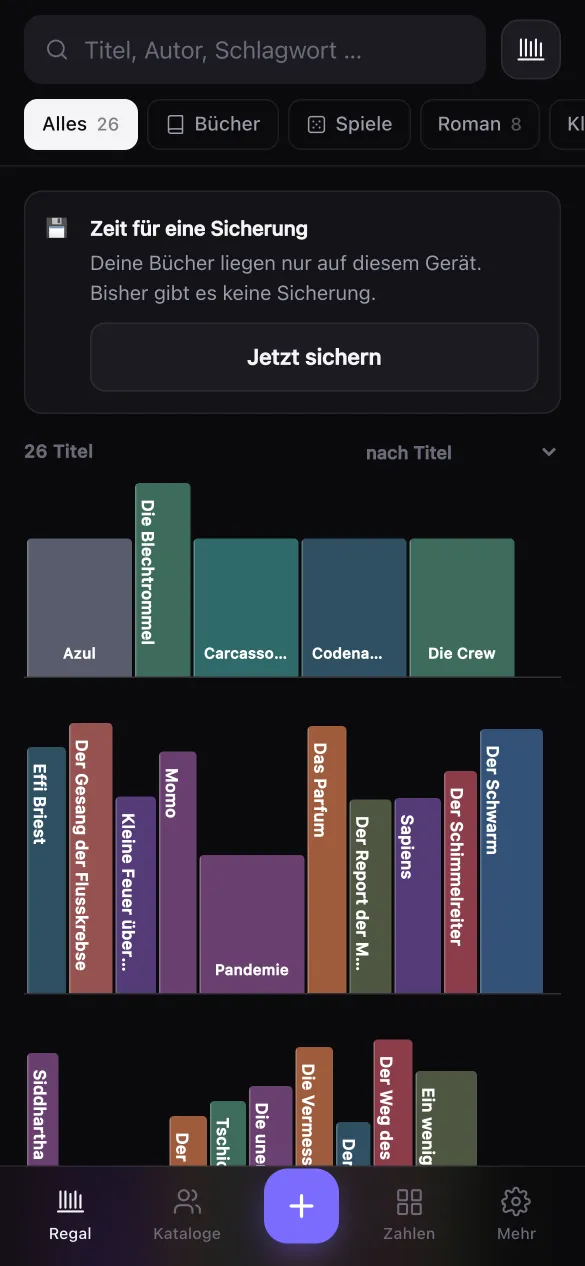
Three ways to look at your collection.
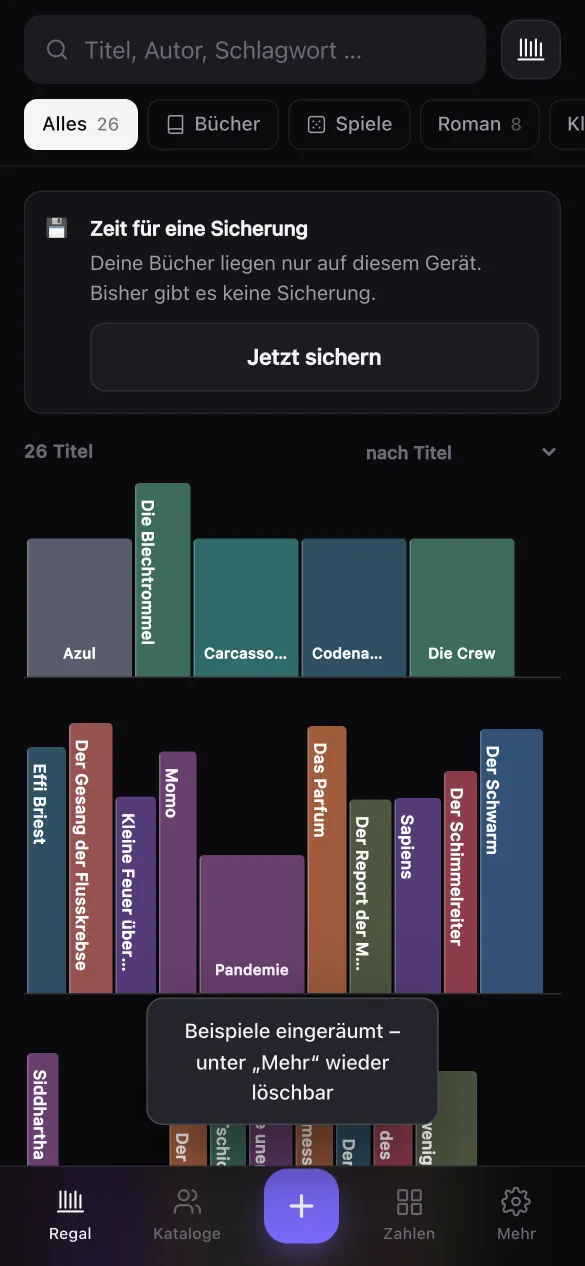
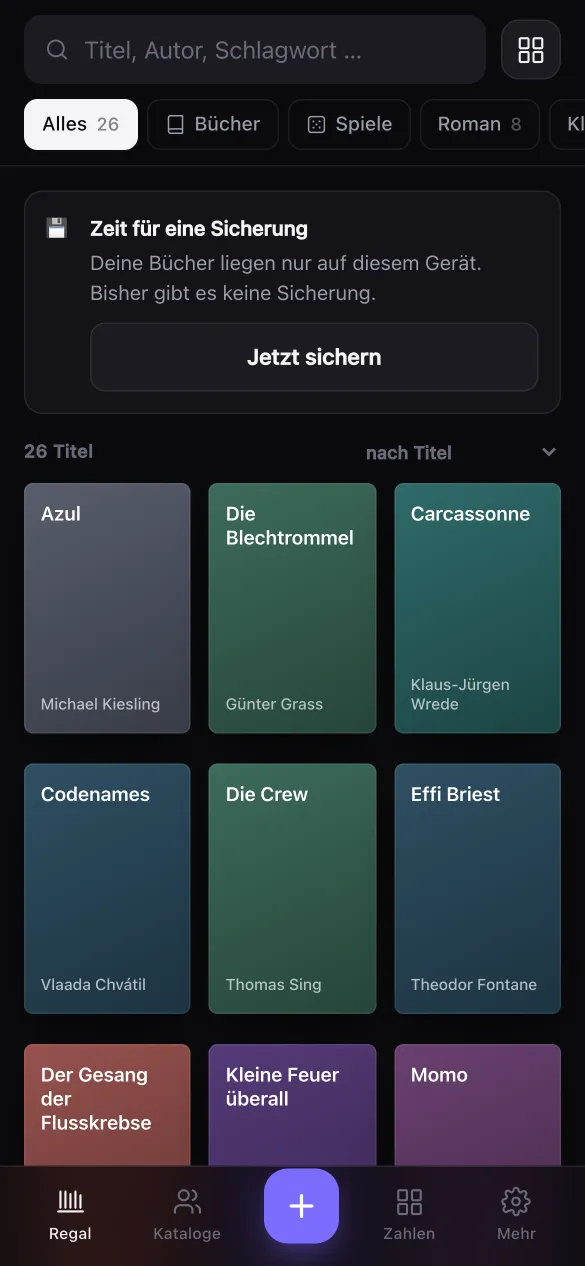
A shelf wall with real spines, a cover grid and a list. Titles without a cover image get one designed from their title, so even a freshly scanned collection looks good. Search by title, author, publisher, tag and ISBN, and filter by book or game, tag and catalogue.
03 · Share
Lend your eyes, not your login.
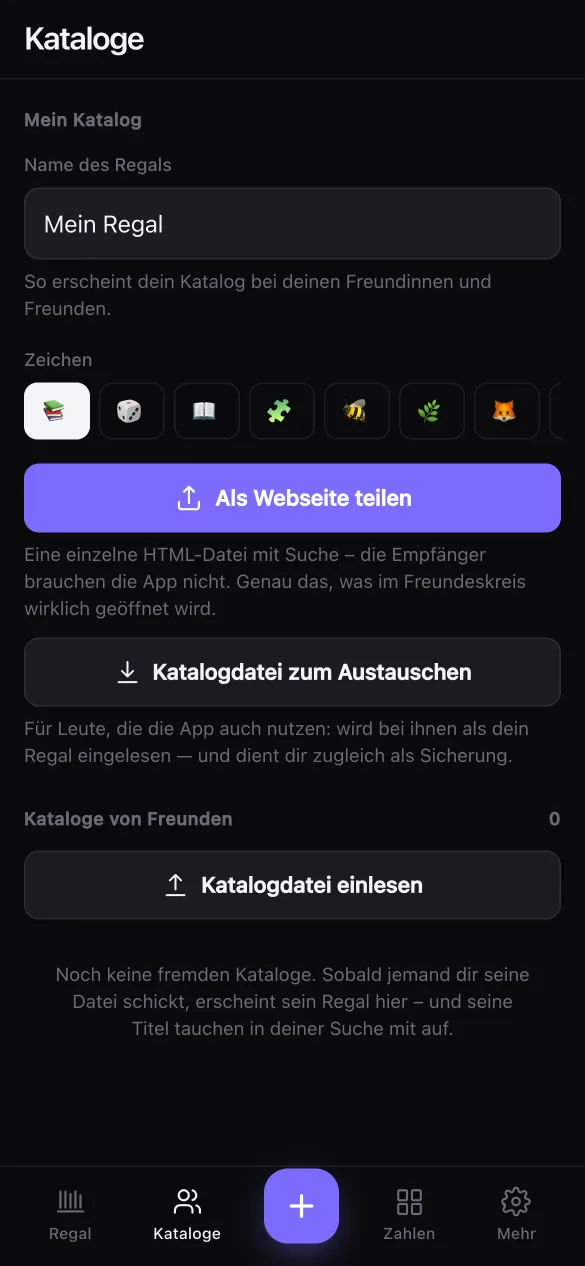
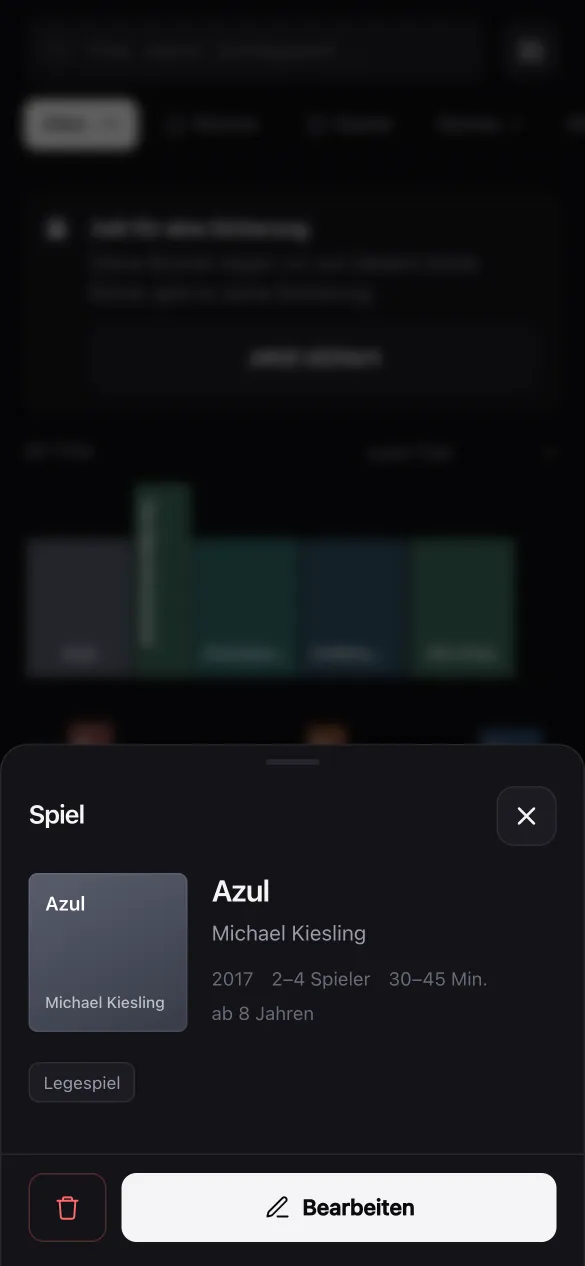
Share your catalogue as a standalone web page: one HTML file with search, the recipients don’t need the app. Or as a catalogue file for friends who use the app too. Their titles then show up in your own search, marked with the owner’s sign, and the detail view tells you who else has the same title. On the iPhone both go through the share sheet: AirDrop, mail or messenger.
Your data stays with you
No account, no server
Everything lives in your browser’s IndexedDB on your own device.
The catalogue file is the backup
From 15 titles on, the app reminds you when your last backup is more than three weeks old.
Install it
On the iPhone, “Add to Home Screen” keeps the data safe. Safari clears data of sites you only visit after a longer break.
Works offline
Covers that were loaded once are cached. Without a network, the designed replacement cover appears.
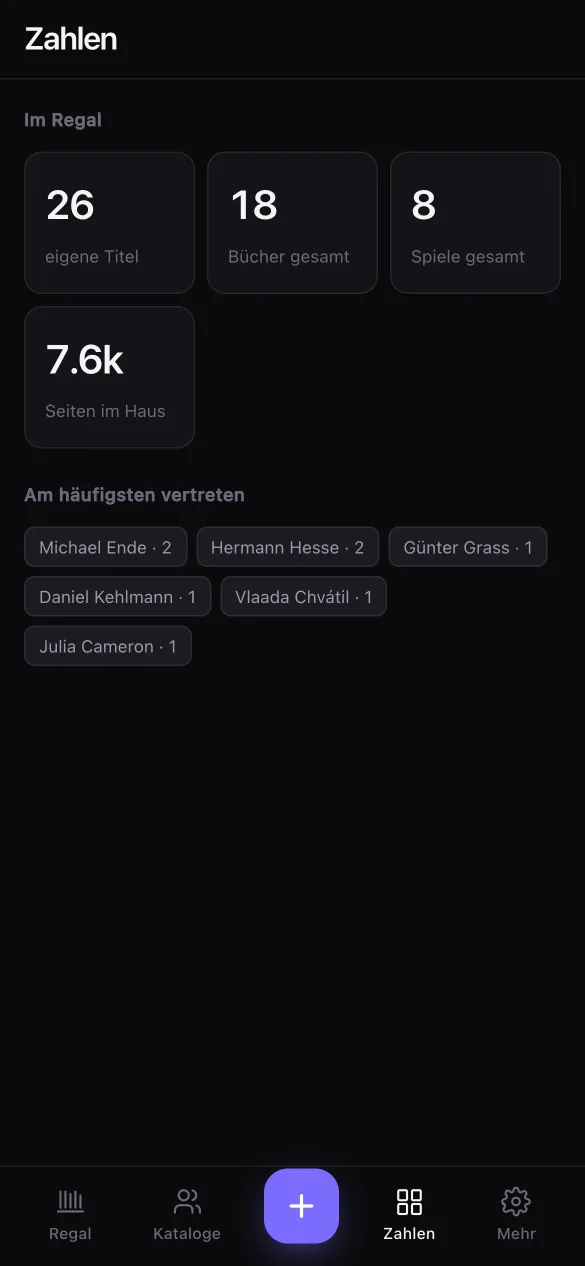
04 · Count
Numbers about your collection.
How many books, how many games, which tags, and which titles stand on several shelves in your circle of friends.
Screenshots from the iPhone version with the German interface.
Next stage
Lending comes second, on purpose.
The first goal was a rental shelf with duration and price. In the end, the catalogue came first: lending involves two devices at once and therefore needs syncing. That is what the planned home server is for. Then the catalogue file becomes a subscription link that updates itself, and lending gets people, dates, deposit, reminders and a calendar entry for hand-over and return. Every record already carries its own ID and a change timestamp for it.
- Stage 1Catalogue, scan, sharein progress
- Stage 2Lending with remindersplanned
- ServerSync and subscription linkplanned
Questions
Where can I download Library?
Not yet. Library was built for the family first and is still in progress. If you’re interested, write to hello@gerber.media.
Does Library need an account or a server?
No. All data stays in the browser’s IndexedDB on your own device. The only connections are lookups of book and game data and covers.
How do I get it onto my iPhone?
Open it in Safari and choose “Add to Home Screen”. It then starts like an app and the data is better protected than on a site you only visit.
Can friends see my collection without the app?
Yes. Share it as a web page: a single HTML file with search that opens in any browser.
Can I lend books with it?
Not yet. Lending is the planned second stage, together with a home server for syncing.
Want a shelf like this?
Library isn’t publicly available yet. Write to me if you’d like to try it or need something similar for your collection.
hello@gerber.media